How real-time translation works
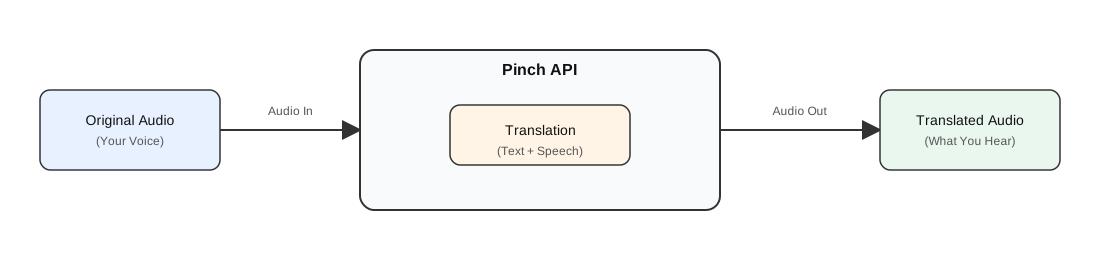
Pinch real-time translation is one WebSocket connection per live conversation. There are three modes:
- Speech to speech — you stream microphone audio in, Pinch streams translated speech audio and transcripts back.
- Speech to translated text — you stream microphone audio in, Pinch streams transcripts back only.
- Text to speech — you send text, Pinch streams speech back in the voice you pick per line.
You pick the mode when you create the session.
The five steps
1) Create a session
GET /v1/session with your API key. Specify:
- source language — what the speaker will say
- target language — what you want back
- audio output — on for speech-to-speech, off for text-only
- voice — a
voiceIdfrom the voice library,autofor one matched voice per speaker, or avoiceType(male/female) for a default - model —
relay-1(default), orrelay-2to get aspeakerlabel on every transcript and to detect the source language (sourceLanguage=auto)
You get back a pre-signed WebSocket URL, valid for 60 seconds.
See the API Reference for full parameters.
2) Open the WebSocket and wait for ready
The first frame from the server is {"type":"ready"}. After that the
socket is bidirectional.
3) Stream audio in
Small binary frames — PCM16 little-endian, mono, 16 kHz. 20–40 ms per frame is a good default.
4) Receive results
- Binary frames — translated speech audio, float32 LE mono @ 24 kHz. Play as they arrive. (Speech-to-speech mode only.)
- JSON frames — original transcript, translated transcript, and session events.
Interim transcripts are marked is_final: false; stable ones
is_final: true. Use correlation_id to pair originals with their
translations. On relay-2, each transcript also carries speaker and its
position in the audio (start_ms, end_ms).
5) Finalize, then close
Send {"type":"finalize"} when the user releases push-to-talk, so the
last segment commits without waiting for silence. Close with code 1000
when done.
Languages, voice and model are fixed for the life of a session; to change
them, close and create a new session. Only the free-text context can be
changed mid-session with {"type":"update_metadata", ...}.
Latency
Live translation is inherently incremental: Pinch listens, recognises, translates, and (in speech-to-speech mode) synthesises, all while speech is still arriving. End-to-end latency depends on:
- Language pair — verb-final languages need more context before translation can start.
- Speech cadence — short phrases with natural pauses finalise faster than long monologues.
- Network RTT to
ws.startpinch.com. - Frame size — 20 ms mic frames feel more interactive than 200 ms frames at a small bandwidth cost.